Working the Lead Pipeline
Move leads through Lead, High Value and Lost on the drag-and-drop board.
The Lead Pipeline is a drag-and-drop board that shows every lead by stage so you can prioritize follow-up.
- Open Private Events → Lead Pipeline. You’ll see columns for Lead, High Value and Lost.
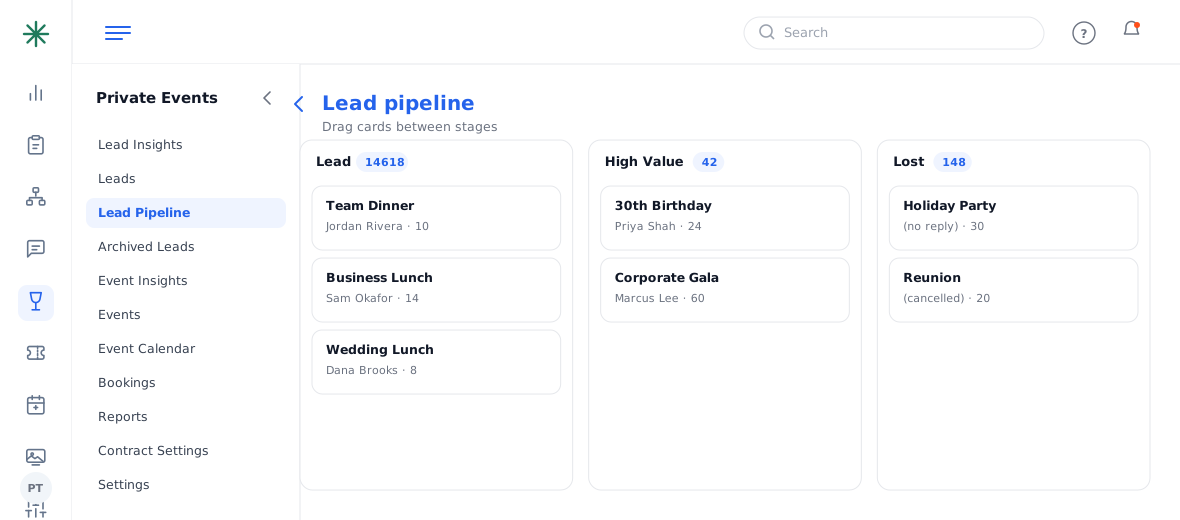
The Lead Pipeline board - Drag a card from one column to another to change its stage, or open the lead and use the Status dropdown.
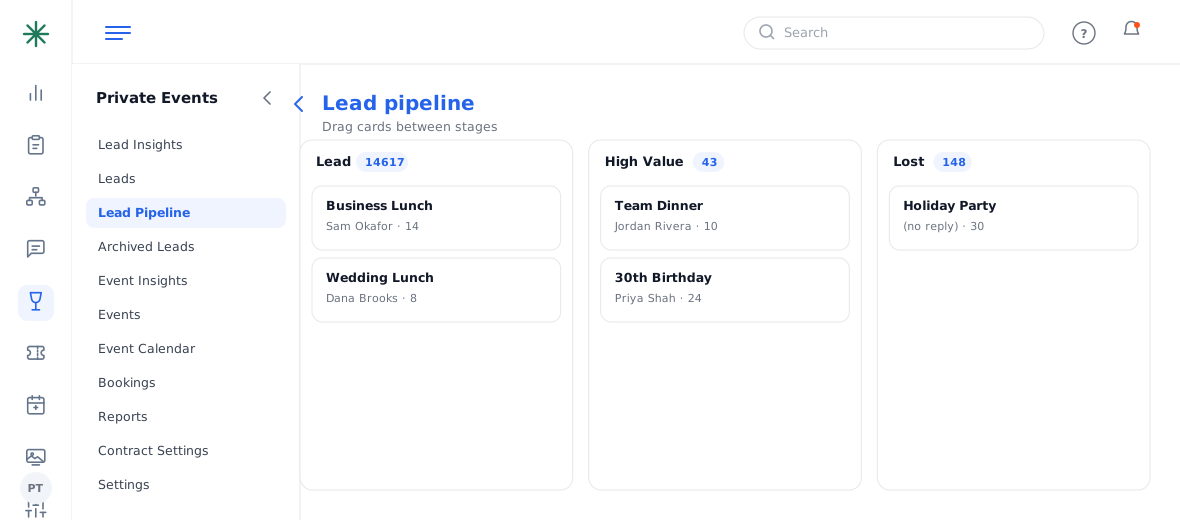
Changing a lead’s status
Each card shows the event date, name, owner and guest count so you can triage at a glance.
Mark promising leads High Value so they stand out, and move dead ones to Lost to keep the board clean.
Frequently asked questions
What do the stages mean?
Lead = new/working, High Value = prioritized/qualified, Lost = won’t book. When it’s ready to book, convert it to an event.
Does dragging a card email the guest?
No — stage changes are internal only.
Can I customize the stages?
The lead statuses are defined in Settings → Status Settings (Lead group), where you can rename, recolor and reorder them.