Managing subscribers
Your marketing opt-in list and how it feeds campaigns.
Subscribers is your marketing/newsletter audience — people who opted in to hear from you.
- In the CRM module, click Subscribers. Filter by Email Verified / Email Not Verified.
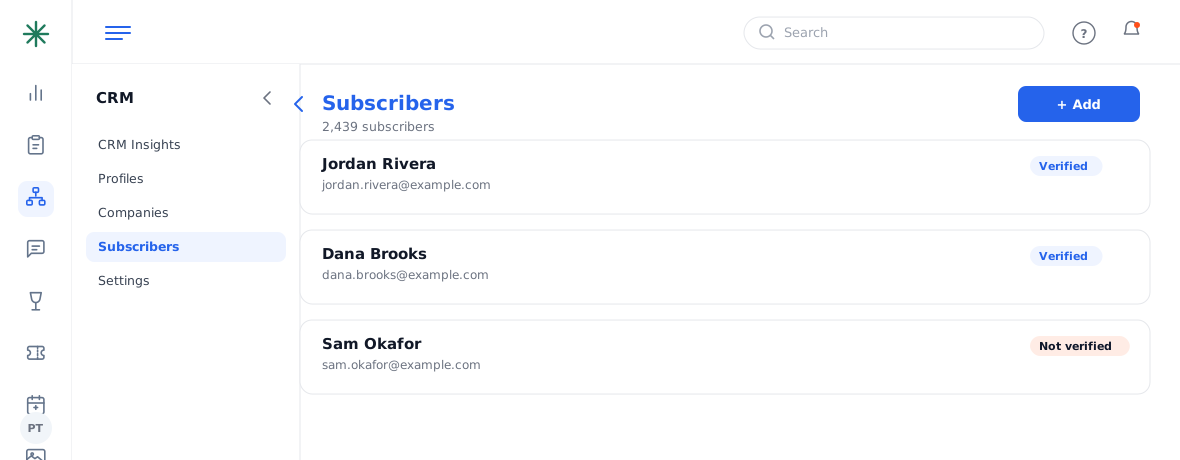
The Subscribers list
Subscribers (opted-in audience) are a subset of Profiles (all customers). Campaigns in the Marketing Suite send to this list and to segments built from it.
Only email people who opted in. Sending campaigns to non-subscribers risks spam complaints and hurts your sender reputation.
Frequently asked questions
What’s the difference between a subscriber and a profile?
A profile is any customer in your CRM; a subscriber has explicitly opted in to marketing. Campaigns go to subscribers and to segments built from them.
How does someone become a subscriber?
Usually by opting in (e.g. the newsletter sign-up on your site), which triggers a verification email.
Why filter by verified vs not verified?
Verified addresses deliver reliably; unverified ones bounce more often. Target verified subscribers for important sends.