Configuring event spaces & combos
Define your rooms and how combined spaces map to their sub-rooms.
Event spaces are your bookable rooms. You can also define combos (e.g. a full buyout) that map to several sub-rooms for conflict detection.
- Open Private Events → Settings → Event Space List to add/edit rooms (name, capacity, description, photo, active toggle).
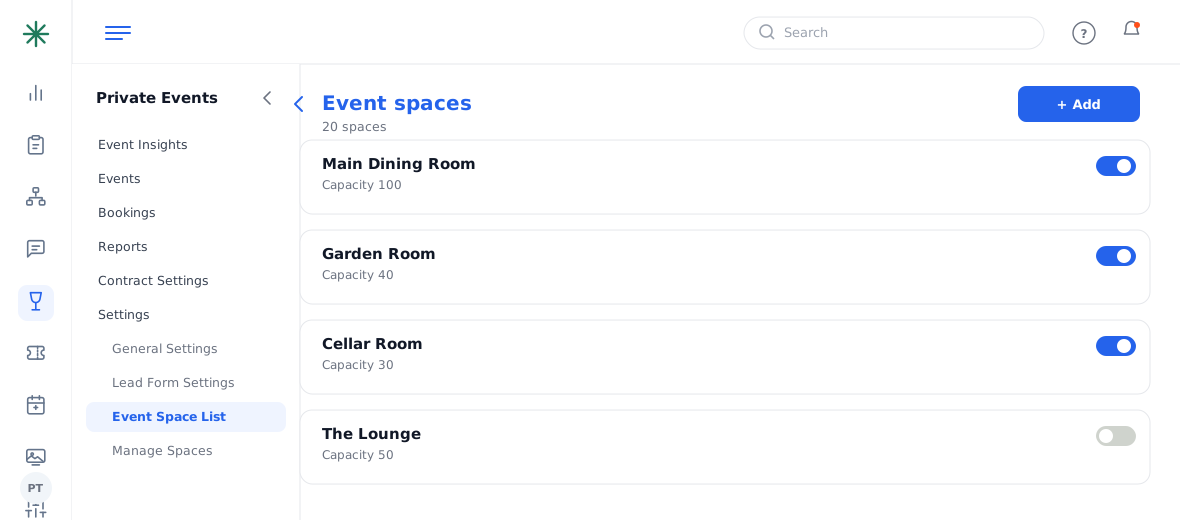
The Event Space List - Open Manage Spaces (the Space Organizer) to drag rooms into parent/child relationships, so booking a combo blocks its component rooms.
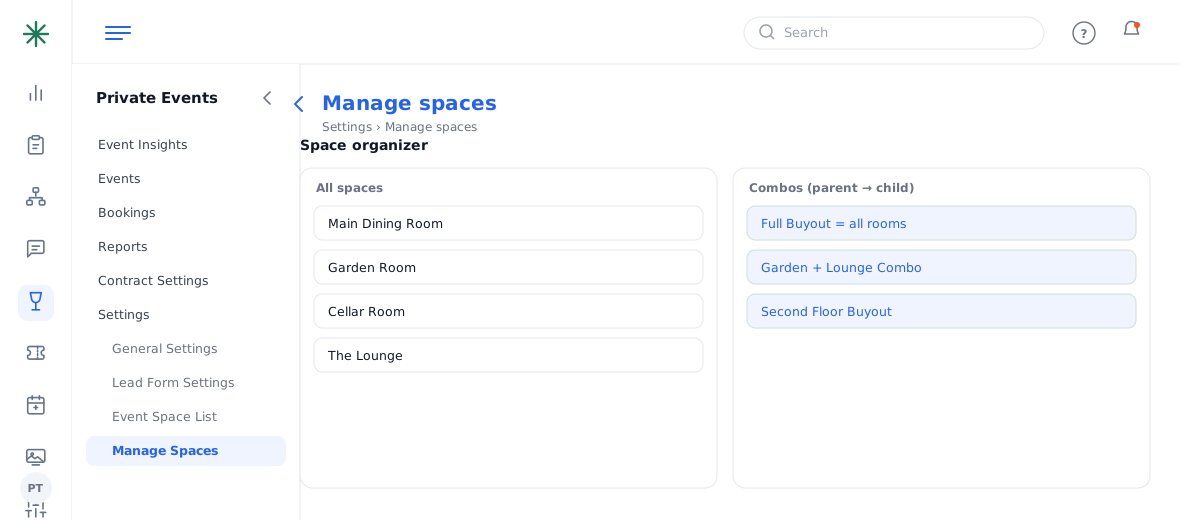
The Space Organizer
Correct combo mapping is what powers “Same Day Events” conflict warnings — set it up carefully.
Worked example
A combo mapping example:
| Full Restaurant Buyout | = all rooms |
| Juniper Bar + Dining Room Combo | = Juniper Bar + Juniper Dining Room |
| Booking the combo | blocks its sub-rooms |
So if someone books the buyout, the individual rooms show as unavailable that day.
Frequently asked questions
Why does booking one space block another?
Because of combo mapping in the Space Organizer — a parent space (buyout/combo) includes its child rooms, so booking the parent reserves them all.
How do I stop selling a room temporarily?
Toggle it inactive in the Event Space List; it stops appearing as bookable without deleting it.
Where does the room capacity come from?
Each space’s record in the Event Space List. Keep it accurate so guest-count checks work.