Payment methods & integrations
Choose which payment types you accept and connect OpenTable / calendar sync.
Control accepted payment types and external integrations from account Settings.
- Open Settings → Billing Settings → Payment Methods and toggle the types you accept (Cash, Credit/Debit Cards, Bank Transfers, UPI).
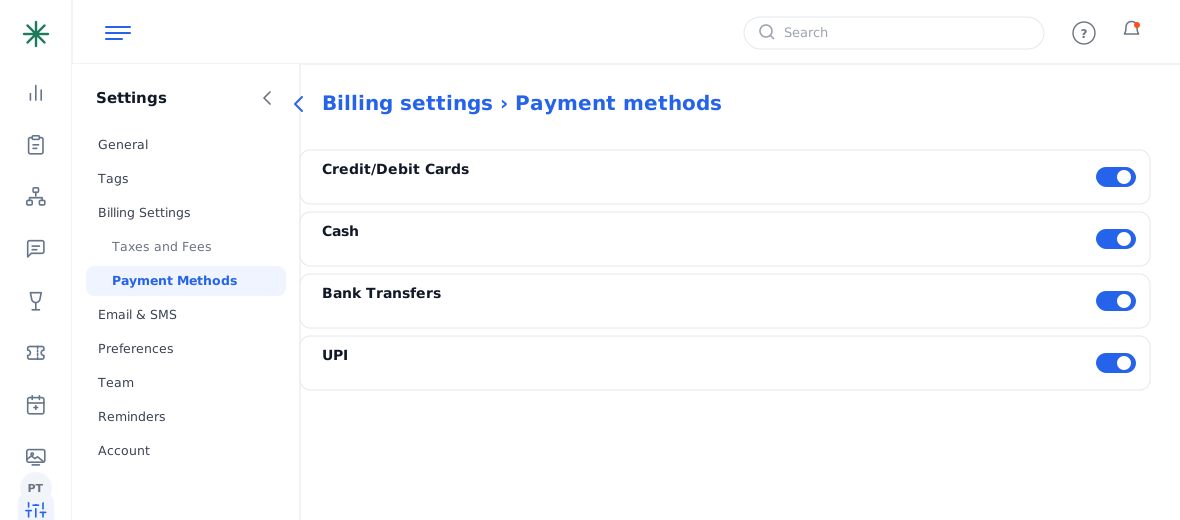
Payment Methods - For integrations, open Settings → General → Integrations to connect OpenTable (reservations) or Google/Outlook Calendar sync.
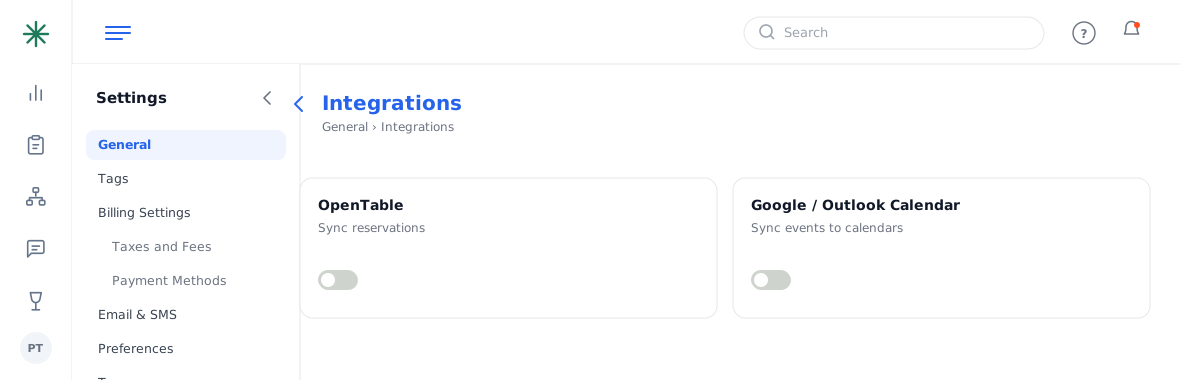
Integrations
Frequently asked questions
Which payment methods can I accept?
Toggle any of Cash, Credit/Debit Cards, Bank Transfers and UPI. Only the ones you enable appear when recording payments.
How do reservations sync with OpenTable?
Connect OpenTable under Integrations; reservations then flow into Panso automatically (this is why there’s no separate Panso reservation-widget link).
Can guests add my events to their calendar?
With Google/Outlook Calendar sync enabled, you can share a calendar URL guests subscribe to.