Adding line items (Room, Food, Beverage)
Populate a contract from your item catalogs or with manual rows.
Contracts are built from categorized line items. Each category has its own section in the builder.
- In the contract builder, find the section you want: Room Rental, Food, Beverage or Additional Charges.
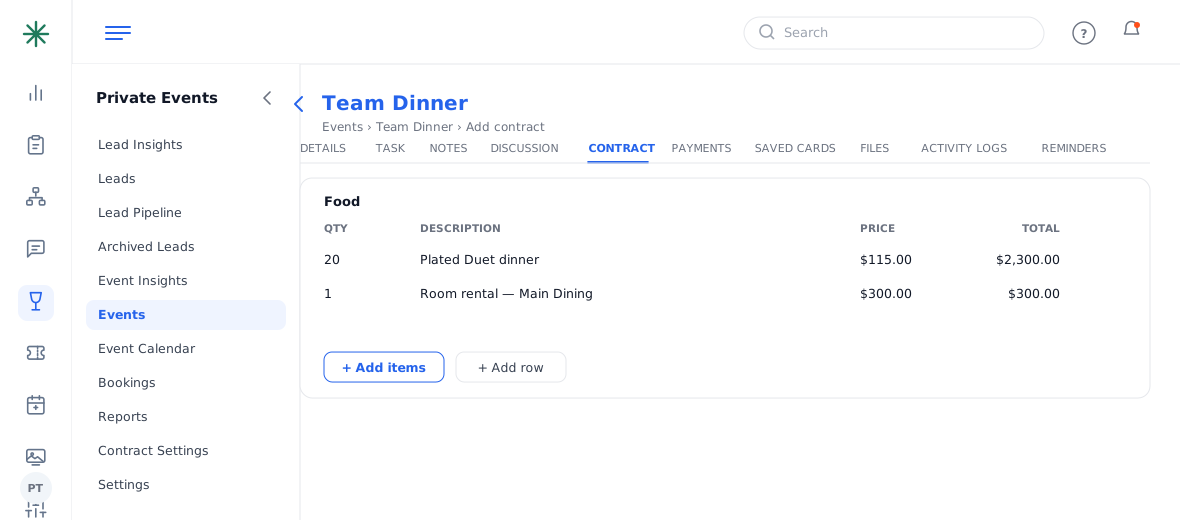
Line-item sections - Click Add Items to pick from your pre-built catalogs (menus, wine lists, room fees), or Add Row to type a custom line.
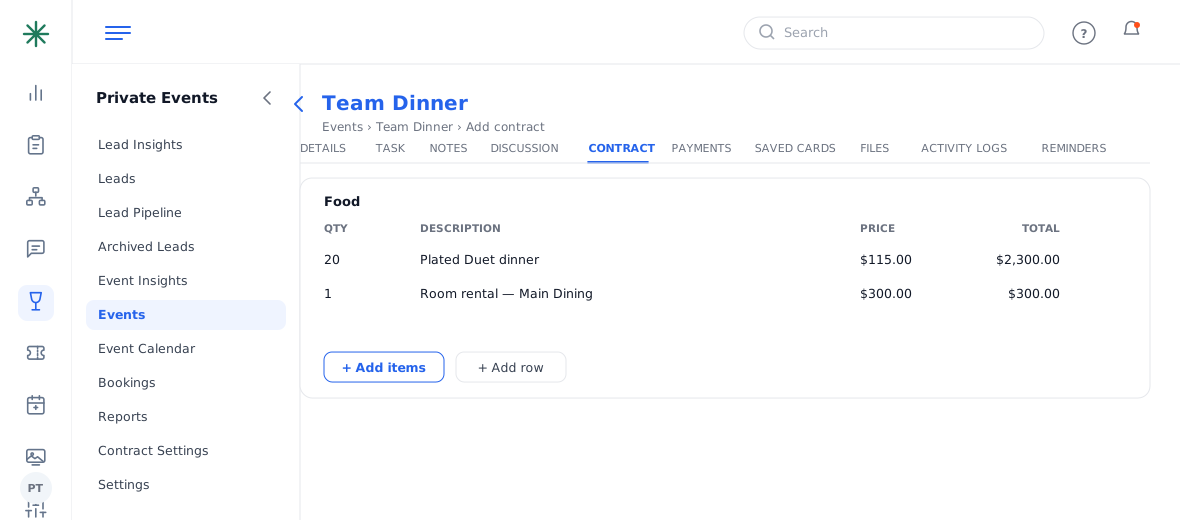
Add Items vs Add Row - Set the Qty, Description and Price; the Total calculates automatically.
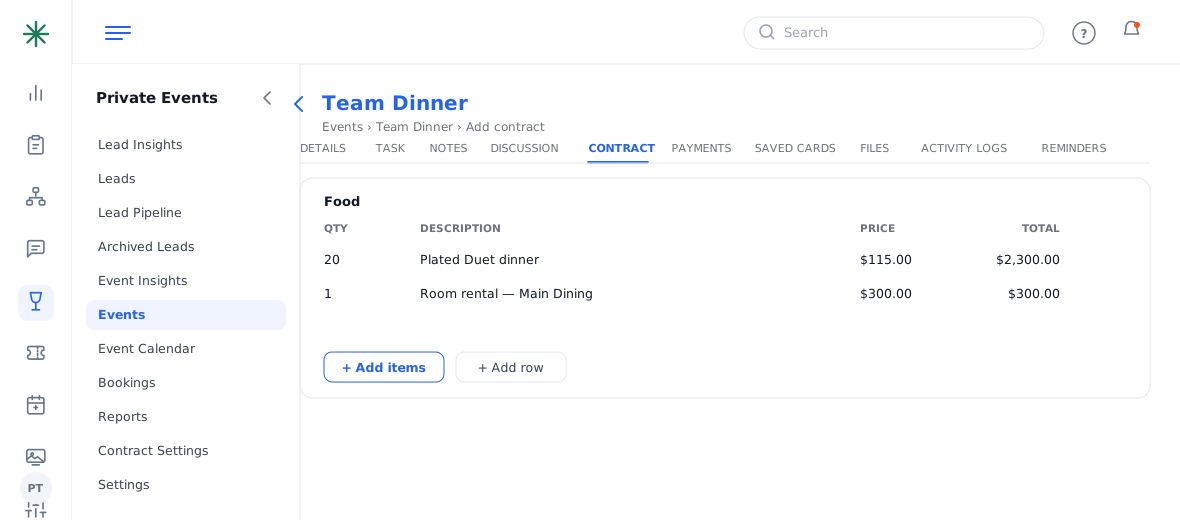
A completed line item
Catalogs and menus live in Contract Settings → Item Categories and Picklists — set them up once and reuse everywhere.
Included courses can be listed at $0.00 so the menu reads in full on the BEO without adding to the price — only the priced items count toward the total and minimums.
Frequently asked questions
Add Items vs Add Row — what’s the difference?
Add Items pulls from your saved catalogs/menus (consistent pricing); Add Row lets you type a one-off custom line.
My food items aren’t covering the F&B minimum — why?
Only priced Food/Beverage lines count. $0.00 “included” items don’t contribute; add priced items until the Unmet F&B warning clears.
Can I reorder or delete a line?
Yes — remove a row with its delete control and re-add; totals recalculate instantly.