Viewing & managing reservations
Browse table reservations and their statuses.
The Reservations module handles standard table bookings (separate from private events).
- Open the Reservations module and click Reservation List.
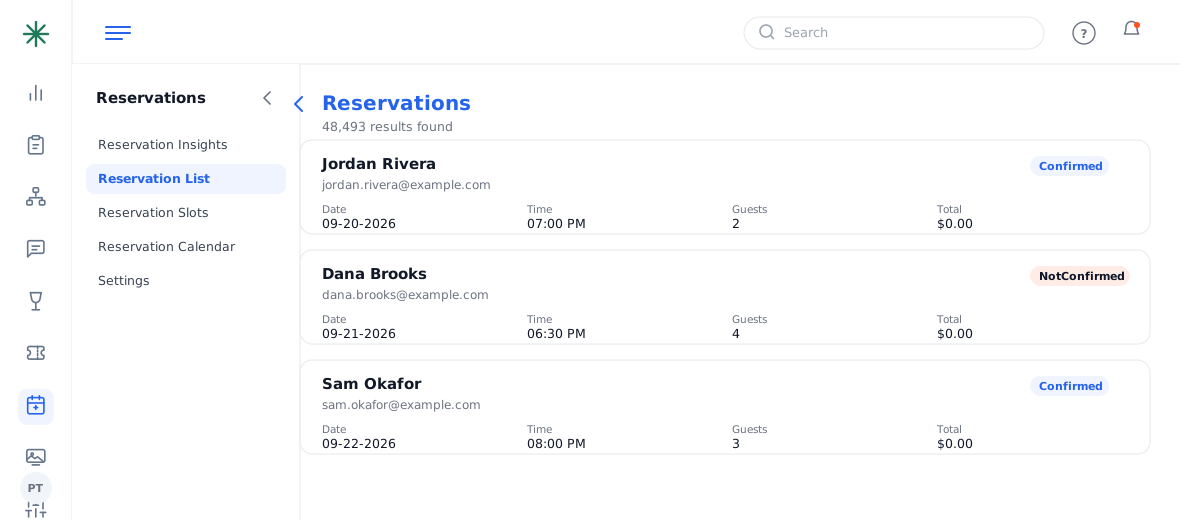
The Reservations list - Each row shows the guest, date, time, party size, total and a status (Confirmed / NotConfirmed / Cancelled). Search or filter to find one.
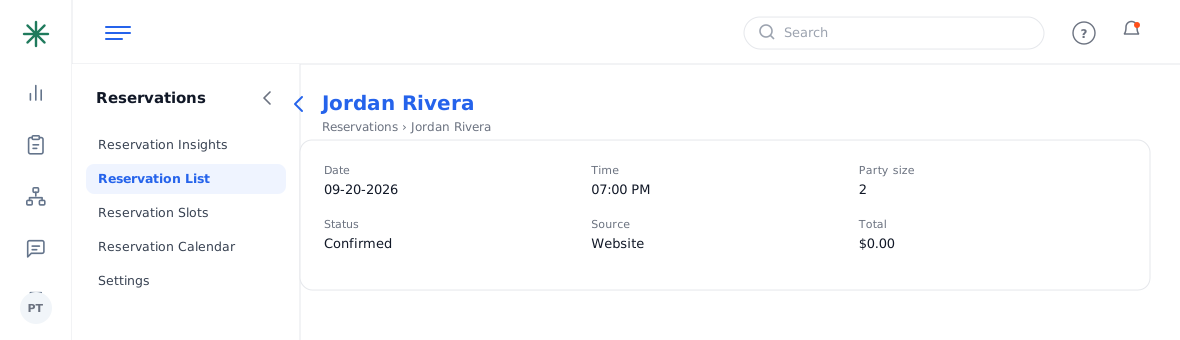
A reservation record
Reservations often sync from OpenTable — see Integrations to connect it.
Reservations are separate from Private Events. Large, contracted bookings belong in Private Events (with quotes and deposits); the Reservations module is for standard table bookings.
Frequently asked questions
What do the statuses mean?
Confirmed = booked and held; NotConfirmed = pending confirmation; Cancelled = no longer active.
Why do reservations show a $0.00 total?
Standard table bookings usually don’t carry a charge/deposit — that’s expected. Deposits and contracts live in Private Events.
Where do reservations come from?
Manually added here, or synced from OpenTable if you’ve connected the integration.
A guest wants a private room / large party — where does that go?
Treat it as a Lead in Private Events, not a reservation, so you can quote, contract and take a deposit.